Turn tracked hours into paid invoices, right in Google Sheets.
TimeSheet pulls your hours from Toggl, Clockify or TimeCamp into Google Sheets, applies your prices and turns them into an invoice your client will pay.
Free plan, no credit card. Your data stays in your Google account.
 Client hours 2026
 Toggl Track
 Clockify
 TimeCamp
Keep your time tracker.
Get the billing part for a fraction of the price.
Toggl, Clockify and TimeCamp charge per user, every month, for rates and invoices. TimeSheet does it in the Google Sheet you already use.
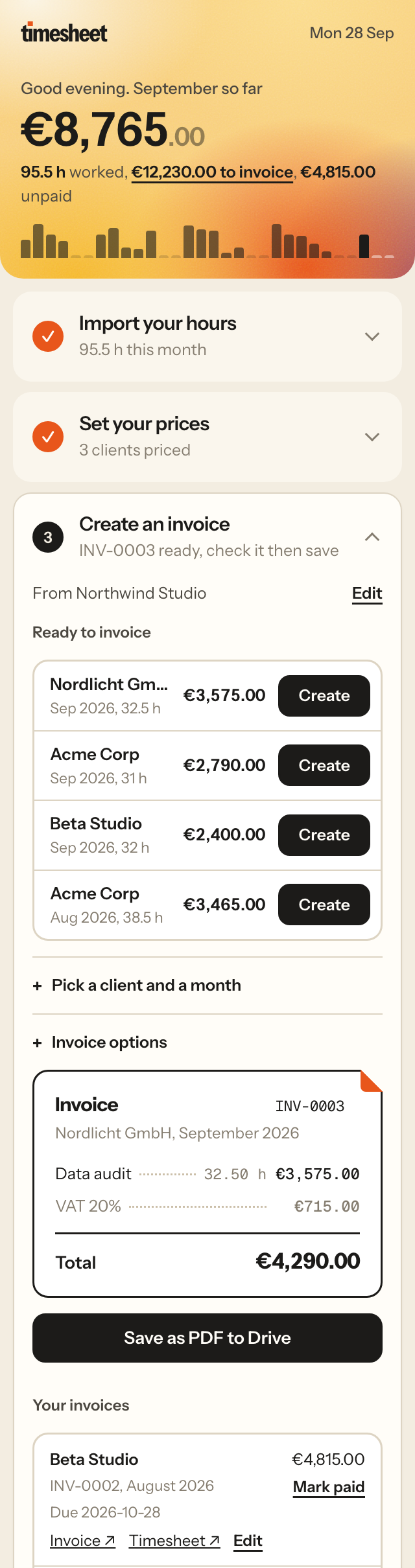
Every hour lands in your Sheet, every morning.
Paste your API key once. TimeSheet imports clients, projects, tasks and hours, then updates them each morning without going over your tracker's free limits.
- Toggl (classic and new), Clockify, TimeCamp
- No duplicates, edited entries stay in sync
- Works in any Google Sheets language
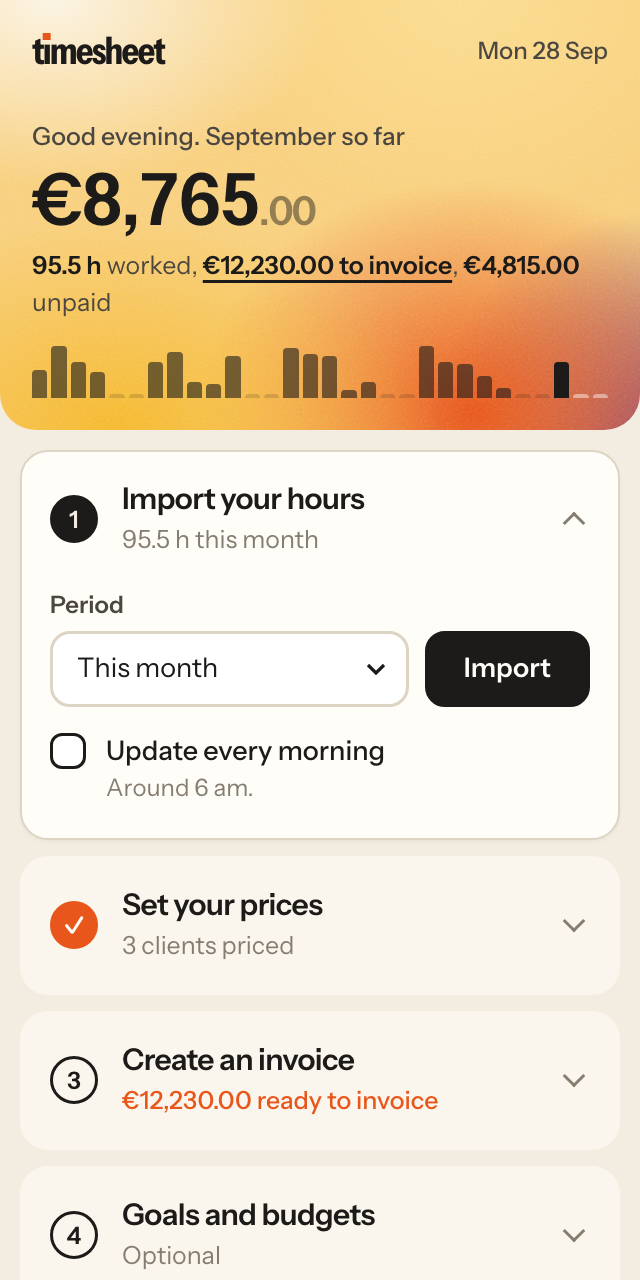
An invoice your client takes seriously.
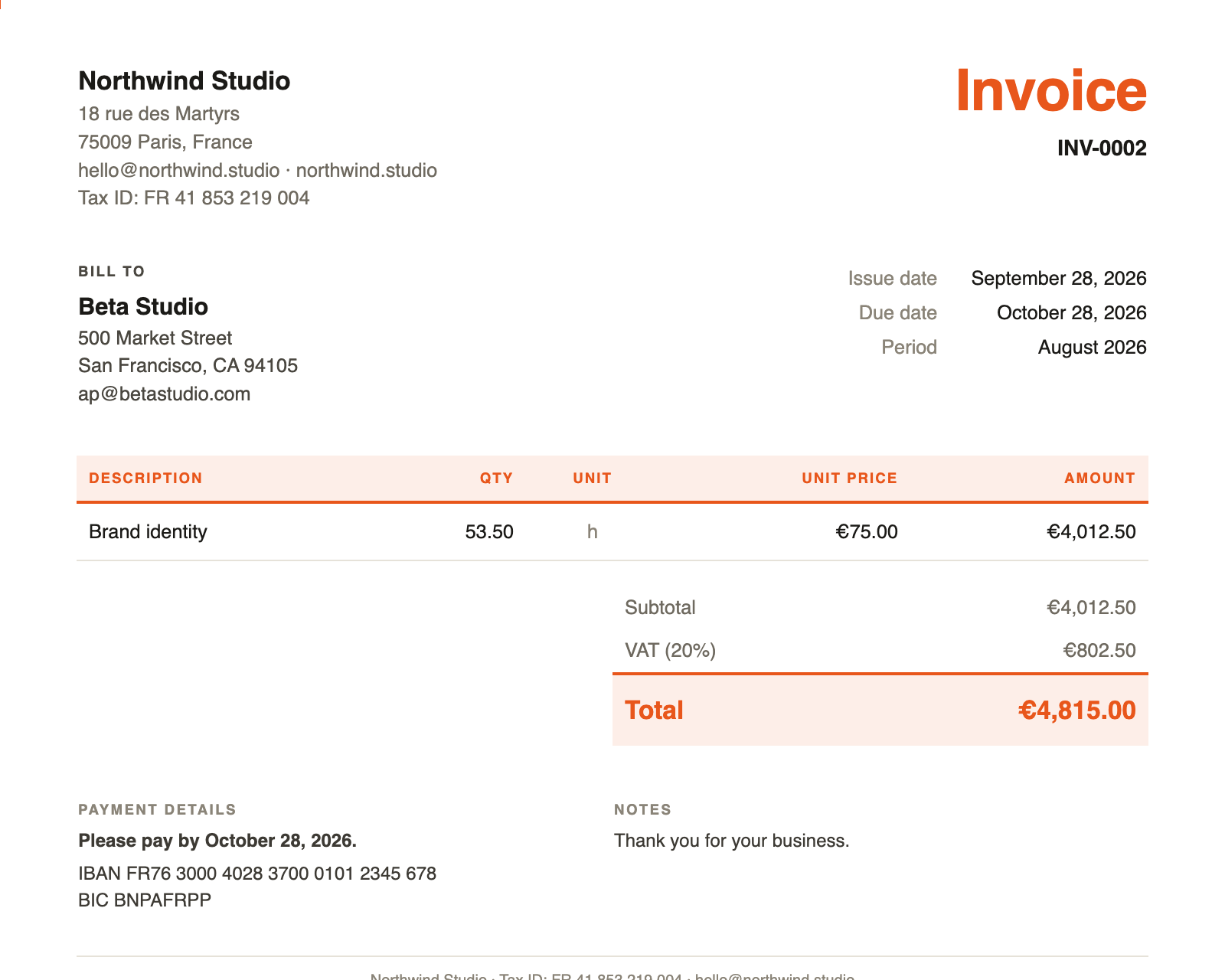
Prices per client or per project, rounding, VAT. One click fills the invoice, you check it in the Sheet, one more click saves the PDF in your Drive.
- English or French, chosen per client
- Your logo, your color, your legal mentions
- Timesheet PDF attached, sorted by client and year
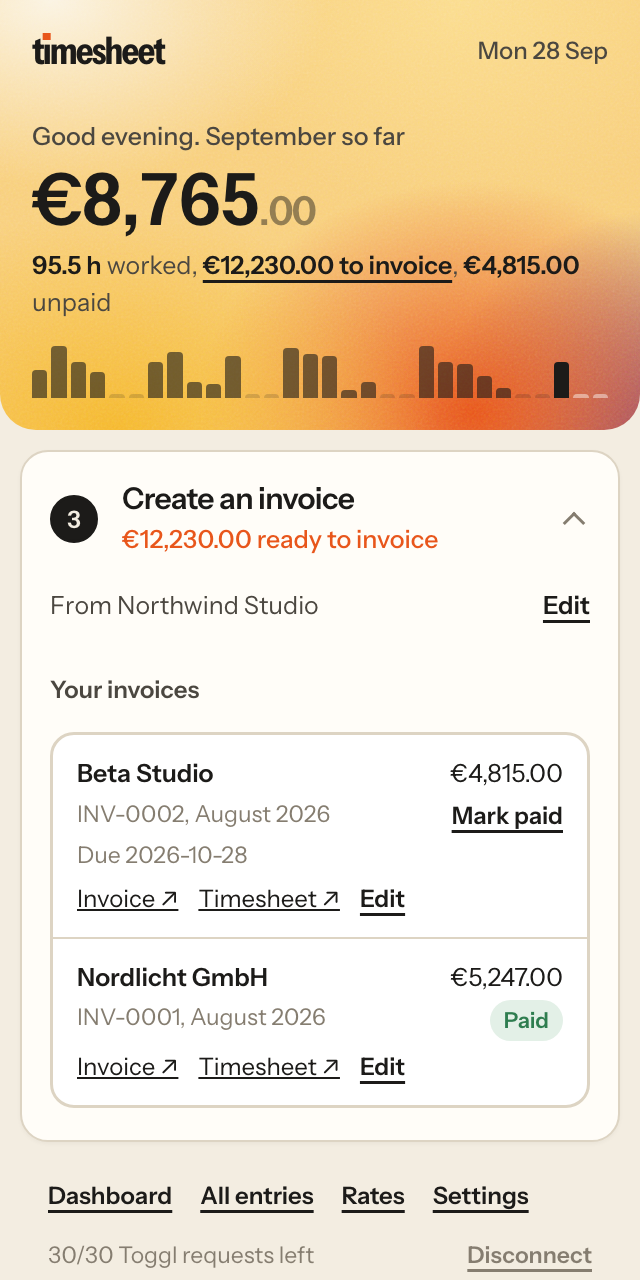
Know who still owes you, at a glance.
Every invoice is logged with its due date. Overdue ones turn red, paid ones step aside, and the panel shows what is still out there.
- Unpaid total in the panel header
- Fix a sent invoice: same number, same PDF link
- What is left to invoice, per client and month
Two languages
Dates, amounts and VAT wording follow English or French rules.
Legal mentions
VAT exemption, late fees and the 40 € recovery fee in one click.
Tidy Drive
PDFs filed by client and year, in a folder you can move anywhere.
Budgets
Hours or money per client or project, with a warning at 80 %.
Dashboard
This month, last month, billable share, average rate, weeks.
Private by design
No server of ours. Your data never leaves your Google account.
Same billing features. A fraction of the price.
What a freelancer pays to set hourly rates and bill clients, per month.
| TimeSheet Pro | Toggl Track Starter | Clockify Standard | TimeCamp Ultimate | |
|---|---|---|---|---|
| Price per month | $2.99 | $9 per user | $5.49 per user | $6.99 per user |
| Hourly rates per client and project | Yes | Yes | Yes | Yes |
| Invoices in your own Google Sheet | Yes | No | No | No |
| Keep using your tracker for free | Yes | Paid plan needed | Paid plan needed | Paid plan needed |
Public prices of the plans that include billing rates or invoices, billed yearly, September 2026.
One simple price. Not per user.
Start free. Upgrade when you send more than two invoices a month.
Free
Everything you need to try it for real.
Forever
- Import from Toggl, Clockify or TimeCamp
- Daily sync
- Prices, rounding, dashboard
- 2 invoices a month, in English or French
Pro
Everything in Free, plus:
or $24 a year, save 33%
- Unlimited invoices
- Your logo and color
- Timesheet PDF with each invoice
- Payment tracking and invoice editing
- Budgets, monthly goal, Drive folders
Questions, answered.
Do I need to change time tracker?
No. Keep tracking in Toggl, Clockify or TimeCamp, even on their free plans. TimeSheet reads your hours with your API key and never changes anything there.
Where is my data stored?
In your own Google Sheet and your own Google Drive. TimeSheet has no server that stores your hours or invoices. The details are in the privacy policy.
What can TimeSheet access in my Google account?
Only the spreadsheet where you open it, and the Drive files it creates itself: your invoice PDFs and their folders. It cannot read your other files, your email or your calendar.
Are the invoices valid in France?
They carry the usual mentions: sequential numbers, dates, VAT or VAT exemption (art. 293 B du CGI), late payment penalties and the 40 € recovery fee. Check your own case with your accountant.
Can I cancel Pro?
Yes, at any time. You go back to the free plan and keep all your data and invoices. If Pro is not for you, we refund your first payment within 14 days.
Bill your hours in two clicks.
TimeSheet is being published on the Google Workspace Marketplace. Leave your email and we will send you the install link first.